Last Updated on 29th March 2009
Over 965 thousand downloads!!!
Fotosizer - Batch Image resizing made easy...
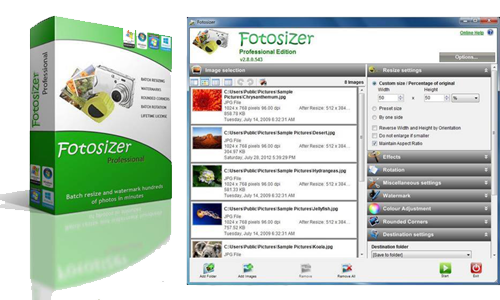
Fotosizer is a freeware batch image resizer tool. It resizes your photos
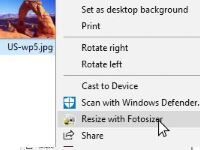
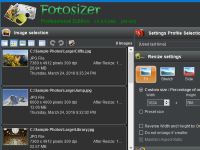
in just 3 easy steps - 1. Photo selection, 2. select resize settings, then 3. Start the resize!
Increasingly, sharing photos on the internet is becomming more and more popular.
Photos, represented as JPEG files from digital cameras, taken at high resolutions are far too large to send over the Internet, with some photos ending up at 5 mega bytes. Uploading one photo to a photo sharing website is fine, but 10, 20, or even more, this can take forever, especially on a dial-up connection.
With Fotosizer, you can shrink JPEG image files, along with other supported formats, and dramatically reduce internet transfer times, enabling you to quickly and easily prepare your image collections to be published on the web.
Help unlock the photos from your digital camera. Use Fotosizer to batch resize your photos making it easier and faster to email to friends, upload to photo sharing websites or upload to websites that offer photo printing services.
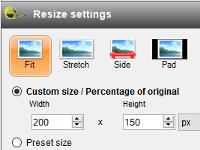
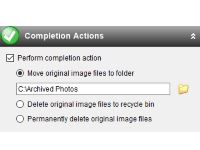
Fotosizer lets you resize in 3 easy steps, allowing you to choose the photos you want to resize, the dimensions, and where you want to save the new photos.
Resize quickly and easily using a preset list of sizes including iPod, iPhone, and Sony PSP screen sizes.
Resizes photo image files for:
 |
Email attachments
Allows photos to be emailed without fear of the email bouncing back because it is too big for the recipient's mailbox.
|
 |
Web pages
Allows photo thumbnails to be displayed on websites, that are smaller in file size than the originals. This allows the web pages to be loaded quicker and ensures a better web browsing experience.
|
 |
Photo-sharing web sites
Allows photos to be uploaded quickly to photo-sharing websites such as Flickr, Snapfish.
|
 |
Online photo-printing services
Allows your photos to be uploaded to online photo-printing services such as Kodak, Snapfish, much quicker.
|
 |
ebaY and other auction sites
Quite often, ebaY and other online auction site listings will contain photos of the product(s) being sold. Fotosizer allows you to resize your product photos so that you can then display them more easily and quickly on your aution listing.
|
 |
Slide shows
Fotosizer allows you to batch resize all the photos that you might want in a slide show to the same size, giving a much better appearance to the slide show.
|
 |
Office documents and presentations
Fotosizer allows you to resize your images before adding them to your Microsoft Word documents, or PowerPoint Presentations. This reduces "bloated" document file sizes, allowing documents to be sent by email, opened quicker.
|
Click here to see more details about Fotosizer's features...
What's New?
v1.22.0.403 - [29th March 2009]
- Made corrections to Ukrainian language translations.
- Added Dutch language translations.
- Fixed initial active state of Quality entry box when Change quality option is checked.
- Other minor UI updates.
v1.21.0.391
- Added Russian language translations.
- Added Ukrainian language translations.
- Added Chinese Traditional language translations.
- Fixed problem with %N File name mask that caused numbering to incorrectly start at 2.
- Added translations for Automatic update message for new version of Fotosizer available to all languages.
- Added ability to select and resize images with non-English text in the filename, on an English version of Windows.
v1.20.0.340
- Made corrections to German translations.
- Improved performance of loading images into image list for Add Image and Add Folder.
- Added Polish language translations.
- Improved performance of Remove/Remove All operation.
- Fixed installer to correctly uninstall the Fotosizer Desktop shortcut.
- Fixed manual entering of destination folder.
- Added use of "Ctrl+A" key press to select all images in the image list.
- Fixed problem with Add Folder that caused a crash on some computers.
- Fixed resizing so that if new dimensions can never go below 1 pixel.
- Added minor UI tweaks.
more version information...
Logos for your Website
Feel free to download these logos and use them on your website.


Click here to view the HTML
Contact us
If you have any queries or comments, or suggestions of improvements that could be made to Fotosizer, then please contact us by using the contact us form.
Fotosizer is free for both commercial and personal use. If you like the software, please donate to help support the software and site costs.
If you like the software, please donate to help support the software and site costs.
Everyone who donates $10 / £5 / €10 or more will be emailed all new releases before they're available to download on the site.
(Click on the image to donate using PayPal)